Modul 8: ADC (Analog to Digital Conversion)
Amba to Digital
- 1. Analog vs Digital Signal
- 2. Analog to Digital Converter (ADC)
- 3. Why is ADC Needed in Embedded Systems?
- 4. ADC In ATmega328p
- 5. Important ADC Parameters In ATmega328p
- 6. Specific Registers for ADC In ATmega328p
- 7. ADC Conversion Flowchart
- 8. ADC Assembly Code Example
1. Analog vs Digital Signal
1.1 Analog Signals
Analog signals are signals that are continuous — meaning their values can change smoothly without jumps, representing physical quantities from the real world such as temperature, light, sound, and pressure.
Characteristics of analog signals:
- Values can be any real value within a range.
- Sensitive to noise (electromagnetic interference, heat, etc.).
- Interact directly with the real world (sensors, microphones, photodiodes).

1.2 Digital Signals
Digital signals are signals that are discrete — their values can only be in two conditions: HIGH (1) or LOW (0), usually in the form of a square wave.
Characteristics of digital signals:
- Only have two values: 0 and 1 (LOW and HIGH).
- Nearly immune to noise.
- Used in data transmission and processing within electronic devices.
- Use less energy.

1.3 Comparison of Analog and Digital
| Aspect | Analog Signal | Digital Signal |
|---|---|---|
| Nature | Continuous | Discrete |
| Values | All real values | 0 or 1 |
| Noise Resistance | Low | Very high |
| Primary Use | Sensors, real-world actuators | Data processing, computing |
| Examples | Microphone sound, LDR output, sensor temperature | Serial data, clock signals, PWM |
| Energy Consumption | Relatively larger | More efficient |
Both complement each other: analog signals capture real-world phenomena accurately, then are converted to digital so they can be processed by computers/microcontrollers.
2. Analog to Digital Converter (ADC)
2.1 Understanding ADC
ADC (Analog to Digital Converter) is a component or circuit that converts analog signals (continuous values) into a digital representation (discrete values in the form of binary numbers) so they can be processed by digital systems such as microcontrollers or computers.

2.2 Stages of the ADC Conversion Process
In general, the ADC process is divided into four main stages:
| No | Stage | Explanation |
|---|---|---|
| 1 | Sampling | Capturing (sampling) values from an analog signal at specific discrete points in time. The higher the sampling frequency, the more accurate the digital representation. |
| 2 | Filtering | Cleaning the signal from noise before conversion to ensure the conversion results are more accurate. NOTE: This is usually not discussed much in ADC methods |
| 3 | Quantizing | Converting the analog value at a single discrete point in time into a specific level representation. The number of levels is determined by the ADC resolution (e.g., 10-bit = 1024 levels). |
| 4 | Encoding | Converting the level value from quantization into digital binary code per discrete time unit. |
We won't go deep into this process, as you will study it directly in the Telecommunications lab next semester 😂
2.3 Illustration of the ADC Process

3. Why is ADC Needed in Embedded Systems?

The real world is analog — all physical phenomena (temperature, light, sound, pressure, humidity) are continuous signals. However, microcontrollers and computers can only process information in digital form (0 and 1).
ADC acts as a bridge between the physical world and the digital world:
- Sensors produce analog signals → For example, an LDR produces a voltage that changes according to light intensity.
- Microcontrollers only understand digital numbers → Without an ADC, a microcontroller cannot "read" that voltage value.
- ADC converts → An analog voltage of 0–5V is converted into a number from 0–1023 (for a 10-bit ADC).
- Programs can process the result → For example: if the ADC value is < 500, turn on the LED.
Examples of ADC usage in daily life:
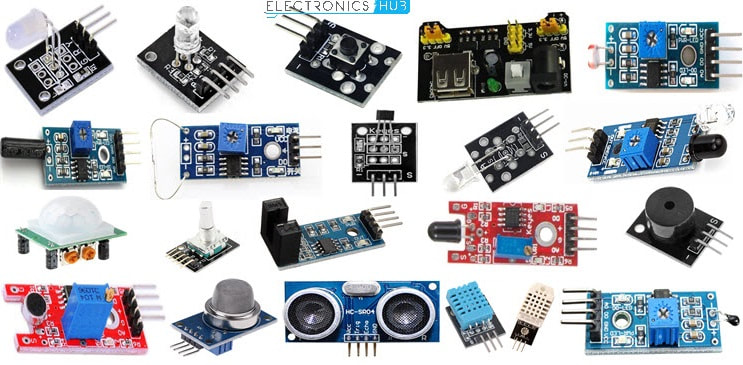
- Reading temperature sensor values (LM35) → conversion to degrees Celsius
- Reading light intensity (LDR) → automatic screen brightness control
- Reading a potentiometer → audio volume control
- Voice recording (microphone) → audio digitization
- Battery measurement → displaying power percentage
4. ADC In ATmega328p
4.1 ATmega328p ADC Specifications
The ATmega328p (used in the Arduino Uno) has a built-in ADC with the following specifications:
| Specification | Value |
|---|---|
| Resolution | 10-bit (produces values from 0 – 1023) |
| Conversion Method | Successive Approximation |
| Input Channels | 8 analog channels (A0 – A7), multiplexed |
| Reference Voltage | AVcc, Internal 2.56V, or external AREF pin |
| Conversion Speed | 50 kHz – 200 kHz (depending on prescaler) |
| Result Registers | ADCL (low-byte) + ADCH (high-byte) |
4.2 Successive Approximation Method

The ATmega328p uses the Successive Approximation Register (SAR) method. In this method, the ADC works by performing a binary search for the Vin value.
At each step:
- The SAR sets a trial bit
- The DAC generates a voltage (Vdac)
- A comparator compares Vin with Vdac
- The bit is either kept or changed based on the comparison result
This process is repeated N times (N = ADC resolution, which is 10-bit for the ATmega328p).
An example of SAR implementation can be seen in this image:

- Started from the middle value (1000) This is the representation of ½ of Vref (MSB = 1).
- First comparison (Comparator)
- If Vdac > Vin → move down (red arrow)
- If Vdac < Vin → move up (green arrow)
- Determining the next bit
Each step determines one additional bit.
Example:
1000 → 1100(if Vin is larger)1000 → 0100(if Vin is smaller)
- Repeat process (Binary Search) The value range is continuously narrowed until all bits (MSB → LSB) are determined.
- Final result
The rightmost nodes show the final binary code.
Example results:
1011,0110, etc.
5. Important ADC Parameters In ATmega328p
5.1 Reference Voltage (Vref)
Reference Voltage (Vref) is the maximum voltage that serves as the full-scale reference in the ADC conversion process. Vref determines the range of input voltage that can be read by the ADC.
On the ATmega328p, there are three options for the reference voltage source:
| REFS1 | REFS0 | Vref Source | Description |
|---|---|---|---|
| 0 | 0 | AREF pin | Uses an external voltage connected to the AREF pin |
| 0 | 1 | AVcc | Uses the supply voltage (VCC), typically 5V |
| 1 | 0 | (unused) | — |
| 1 | 1 | Internal 2.56V | Uses a fixed internal 2.56V reference voltage, ignoring VCC |

Influence of Vref on effective resolution:
| Vref | Resolution per step |
|---|---|
| 5V (AVcc) | 5V / 1024 ≈ 4.88 mV per step |
| 2.56V (Internal) | 2.56V / 1024 ≈ 2.5 mV per step |
The smaller the Vref, the finer the resolution — but the measurable input range is also smaller.
5.2 Prescaler
The Prescaler is a frequency divider that determines the ADC clock speed from the main system clock (F_CPU). The ADC requires a clock within the range of 50 kHz – 200 kHz for accurate results.
On the ATmega328p (F_CPU = 16 MHz), prescaler options are configured via the ADPS2:ADPS0 bits in the ADCSRA register:
| ADPS2 | ADPS1 | ADPS0 | Divider | ADC Clock (at 16 MHz) |
|---|---|---|---|---|
| 0 | 0 | 0 | CLK/2 | 8 MHz |
| 0 | 0 | 1 | CLK/2 | 8 MHz |
| 0 | 1 | 0 | CLK/4 | 4 MHz |
| 0 | 1 | 1 | CLK/8 | 2 MHz |
| 1 | 0 | 0 | CLK/16 | 1 MHz |
| 1 | 0 | 1 | CLK/32 | 500 kHz |
| 1 | 1 | 0 | CLK/64 | 250 kHz |
| 1 | 1 | 1 | CLK/128 | 125 kHz ✅ (most accurate) |
Note: The recommended ADC clock is between 50 kHz–200 kHz. A CLK/128 prescaler at 16 MHz produces 125 kHz — well within the optimal range.
5.3 Conversion Rate
Conversion Rate is the number of ADC conversions that can be performed per second. Its value depends on the ADC clock and the number of clock cycles per conversion.
On the ATmega328p:
- One ADC conversion requires 13 ADC clock cycles (except for the first conversion after enabling = 25 cycles).
- Conversion Rate = ADC Clock / 13
| Prescaler | ADC Clock | Conversion Rate |
|---|---|---|
| CLK/64 | 250 kHz | ≈ 19.2 kSPS |
| CLK/128 | 125 kHz | ≈ 9.6 kSPS |
kSPS = kilo Samples Per Second (thousands of samples per second)
5.4 Influence of Vref, Prescaler, and Conversion Rate on Accuracy
These three parameters are interrelated in determining the quality of ADC conversion results, in terms of resolution, accuracy, and the ability to track signal changes.
| Parameter | Smaller Value | Larger Value |
|---|---|---|
| Vref | Finer resolution (small LSB), but limited input range | Wider input range, but coarser resolution (large LSB) |
| Prescaler (divider) | Higher ADC frequency → risk of inaccuracy if exceeding specification limits | Lower ADC frequency → more stable operation if within optimal range (50–200 kHz) |
| Conversion Rate | Sparse sampling → risk of losing information (aliasing) | More frequent sampling → better ability to track signal changes |
Conclusion:
- Vref determines the trade-off between resolution and measurement range.
- The Prescaler must be chosen so that the ADC frequency stays within the optimal range to maintain accuracy.
- The Conversion rate must be high enough (≥ 2× signal frequency, according to the Nyquist Theorem which you will learn in the 5th-semester Telecommunications lab) for the signal to be well-represented.
6. Specific Registers for ADC In ATmega328p
6.1 ADMUX — ADC Multiplexer Selection Register
ADMUX is an 8-bit register that handles the basic ADC configuration: reference voltage source, data storage format, and which analog input channel to read.

Functions of each field:
a) REFS1:REFS0 — Reference Selection
Selects the ADC reference voltage source:
| REFS1 | REFS0 | Reference Voltage |
|---|---|---|
| 0 | 0 | AREF Pin (external) |
| 0 | 1 | AVcc (supply voltage, typically 5V) |
| 1 | 0 | Unused |
| 1 | 1 | Internal 2.56V |
b) ADLAR — ADC Left Adjust Result
Determines the storage position of the 10-bit result within the two 8-bit registers (ADCH + ADCL):
| ADLAR | ADCH (8-bit) | ADCL (8-bit) |
|---|---|---|
| 1 (Left-justified) | D9 D8 D7 D6 D5 D4 D3 D2 | D1 D0 (unused 6-bit) |
| 0 (Right-justified) | (unused 6-bit) D9 D8 | D7 D6 D5 D4 D3 D2 D1 D0 |
- Right-justified (ADLAR=0): ADCL stores the bottom 8 bits, and ADCH stores the top 2 bits. Typically used for reading the full 10-bit value.
- Left-justified (ADLAR=1): ADCH stores the top 8 bits of the result. Useful when only 8-bit precision is needed (just read ADCH).
c) MUX3:MUX0 — Analog Channel Selection
Selects which analog input pin will be converted:
| MUX3 | MUX2 | MUX1 | MUX0 | Analog Pin |
|---|---|---|---|---|
| 0 | 0 | 0 | 0 | ADC0 / A0 |
| 0 | 0 | 0 | 1 | ADC1 / A1 |
| 0 | 0 | 1 | 0 | ADC2 / A2 |
| 0 | 0 | 1 | 1 | ADC3 / A3 |
| 0 | 1 | 0 | 0 | ADC4 / A4 |
| 0 | 1 | 0 | 1 | ADC5 / A5 |
| 0 | 1 | 1 | 0 | ADC6 / A6 |
| 0 | 1 | 1 | 1 | ADC7 / A7 |
6.2 ADCSRA — ADC Control and Status Register A
ADCSRA is an 8-bit register that serves as the command center for controlling and monitoring the ADC process status.

Functions of each bit:
| Bit | Name | Function |
|---|---|---|
ADEN  |
ADC Enable | Set to 1 to enable the ADC. If 0, the ADC will not run and analog pins won't be converted. |
| ADSC | ADC Start Conversion | Set to 1 to start a single conversion cycle. This bit stays at 1 while conversion is in progress, then automatically returns to 0. |
| ADATE | ADC Auto Trigger Enable | If 1, conversion starts automatically triggered by a specific event (e.g., timer overflow, external pin change). |
| ADIF | ADC Interrupt Flag | Set to 1 by hardware when conversion is complete (End of Conversion). Reset by manually writing a 1 to this bit. |
| ADIE | ADC Interrupt Enable | If 1, the program will jump to an ISR (Interrupt Service Routine) when conversion is complete. Useful so the CPU doesn't have to wait (polling). |
| ADPS2:ADPS0 | ADC Prescaler Select | 3 bits that determine the clock divider for the ADC (see the prescaler table above). |
6.3 ADCL and ADCH — ADC Data Registers
ADCL and ADCH are two 8-bit registers where the 10-bit ADC conversion result is stored after conversion is complete.
Since the ATmega328p uses a 10-bit ADC, the result (0–1023) cannot fit into a single 8-bit register, so it's split across two registers:

IMPORTANT: ADCL must be read first before ADCH. Reading ADCL locks ADCH to prevent it from changing until ADCH is read, ensuring data consistency.
How to read the full 10-bit ADC value (right-justified):
// In C:
uint16_t adc_value = ADC;  // or:
uint8_t  low  = ADCL;
uint8_t  high = ADCH;
uint16_t adc_value = (high << 8) | low;
; In Assembly:
LDS R18, ADCL    ; read low-byte first
LDS R19, ADCH    ; then read high-byte
7. ADC Conversion Flowchart
Here is the complete workflow for using the ADC on the ATmega328p:

The flowchart above illustrates the ADC reading process on the ATmega328p in single conversion mode using the polling method, with the following configuration:
-
Conversion Mode: The ADC operates in single conversion mode, meaning each conversion starts manually by setting the ADSC = 1 bit.
-
Synchronization Method: The conversion completion status is checked using polling of the ADIF bit in the ADCSRA register, instead of using interrupts.
-
Auto Trigger: This flowchart assumes ADATE = 0, so conversions do not run automatically and must be restarted by the program each time a reading is taken.
-
ADC Interrupt: This flowchart does not use ADC interrupts, so ADIE = 0.
-
Input Channel: The configuration example in the flowchart uses ADC0 (pin A0 / PC0) as the analog input channel.
-
Reference Voltage: This flowchart follows an assembly program example that uses the internal reference voltage via the configuration of the REFS1:REFS0 bits in the ADMUX register.
-
Conversion Data Format: The ADC result is stored in right-justified format (ADLAR = 0), so the full 10-bit value is read through two registers:
- ADCL as the low-byte
- ADCH as the high-byte
-
Data Register Reading Order: The ADCL register must be read first, followed by ADCH, to ensure the conversion data remains consistent.
-
ADC Prescaler: This example uses a CLK/128 prescaler (ADPS2:ADPS0 = 111). If the system clock is 16 MHz, the ADC clock becomes:

This value is within the recommended ADC operating range.
Summary of Configuration Used
- ADC Mode: Single Conversion
- Trigger Mode: Manual (
ADSC = 1) - Polling / Interrupt: Polling (
ADIF) - Auto Trigger: Disabled (
ADATE = 0) - Interrupt ADC: Disabled (
ADIE = 0) - Channel: ADC0 / A0 / PC0
- Data Alignment: Right-justified (
ADLAR = 0) - Prescaler: CLK/128
- ADC Clock: 125 kHz (if
F_CPU = 16 MHz)
8. ADC Assembly Code Example
8.1 Full Code
Here is an example of AVR Assembly code to read the ADC from the ADC0 pin using the internal 2.56V reference and a CLK/128 prescaler:
#define __SFR_OFFSET 0x00
#include "avr/io.h"
;------------------------
.global main

main:
    LDI R20, 0xFF
    OUT DDRD, R20       ; Set Port D as output (ADC result low byte)
    OUT DDRB, R20       ; Set Port B as output (ADC result high byte)
    SBI DDRC, 0         ; Set pin PC0 as input for ADC0

    ;-- ADC Initialization --
    LDI R20, 0xC0       ; REFS1:REFS0 = 11 → Internal 2.56V
                        ; ADLAR = 0 → Right-justified
                        ; MUX4:MUX0 = 00000 → ADC0
    STS ADMUX, R20

    LDI R20, 0x87       ; ADEN = 1 → Enable ADC
                        ; ADPS2:ADPS0 = 111 → Prescaler CLK/128
    STS ADCSRA, R20

;-- ADC Reading Loop --
read_ADC:
    LDI R20, 0xC7       ; Set ADSC = 1 to start conversion
    STS ADCSRA, R20

wait_ADC:
    LDS R21, ADCSRA     ; Read ADCSRA status register
    SBRS R21, 4         ; Skip jump if ADIF (bit 4) = 1 (conversion complete)
    RJMP wait_ADC       ; Wait loop until ADIF is set

    ;-- Reset ADIF flag --
    LDI R17, 0xD7       ; Set ADIF = 1 so the controller can reset the flag
    STS ADCSRA, R17

    ;-- Read conversion result --
    LDS R18, ADCL       ; Read low-byte from ADCL (MUST read first)
    LDS R19, ADCH       ; Read high-byte from ADCH

    ;-- Output result --
    OUT PORTD, R18      ; Send low-byte to Port D
    OUT PORTB, R19      ; Send high-byte to Port B

    RJMP read_ADC       ; Repeat reading
8.2 Code Explanation
Initialization Section:
LDI R20, 0xC0
STS ADMUX, R20
0xC0in binary =1100 0000- REFS1=1, REFS0=1 → Internal 2.56V reference voltage
- ADLAR=0 → Right-justified output
- MUX4:MUX0 = 00000 → Reading pin ADC0 (A0)
- This part runs only once during initialization.
LDI R20, 0x87
STS ADCSRA, R20
0x87in binary =1000 0111- ADEN=1 → ADC is enabled
- ADPS2:ADPS0 = 111 → Prescaler CLK/128 (125 kHz at 16 MHz)
Reading Section (Loop):
LDI R20, 0xC7
STS ADCSRA, R20
0xC7in binary =1100 0111- ADEN=1, ADSC=1 → Start one conversion cycle
- ADPS remains the same (CLK/128)
wait_ADC:
    LDS R21, ADCSRA
    SBRS R21, 4
    RJMP wait_ADC
- Polling loop: continuously reads ADCSRA and checks bit 4 (ADIF)
SBRS= Skip if Bit in Register Set → if ADIF=1 (conversion complete), skip RJMP- As long as ADIF=0 (conversion not complete), continue looping
LDI R17, 0xD7
STS ADCSRA, R17
- Resets the ADIF flag by writing a 1 to the ADIF bit
- This is necessary so the next conversion can be detected
LDS R18, ADCL
LDS R19, ADCH
OUT PORTD, R18
OUT PORTB, R19
- Read ADCL first (mandatory), then ADCH
- Send the results to Port D (low-byte) and Port B (high-byte)
- Since it is right-justified: ADCH only contains 2 bits (bits 9 and 8)