Module 1 - Setup
1. Proteus Installation Tutorial
Step 1 : Install Proteus
If you haven't install. Then Install, remember from DSD.
Step 2 : Download the Arduino Library for Proteus
Download from here : https://drive.google.com/file/d/1LMYOUn39nAZBdGL0SR3n30pf-fRXeP-B/view
Step 3 : Install the Library
Go to the System Settings in System Tab :
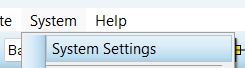
And then choose where you extract the downloaded folder :

Step 4 : Install Arduino IDE
Go and Install Arduino IDE from here : https://www.arduino.cc/en/software
2. Proteus Simulation Tutorial
Step 1 : Setup the Arduino IDE
Go to Preferences :
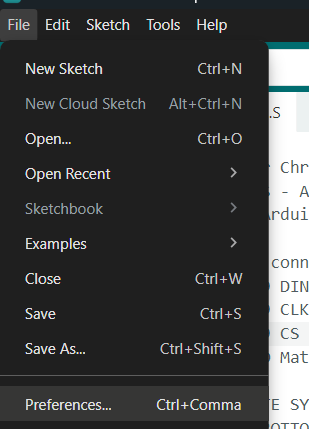
Checklist the Show Verbose output during compile and upload :

Step 2 : Compile the Code
Compile the code using this button :

Find the Hex link on the output terminal :

Step 3 : Connect the Hex
Double click the Arduino on the Simulation :
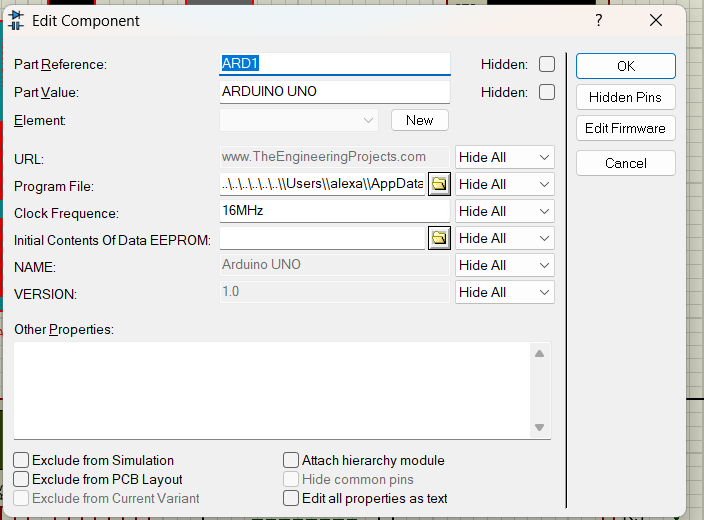
Copy the hex to the Arduino on the Proteus Simulation :
 \
\
Step 4 : Run the Code
COMPLETE